KiCad Helper
A self-hosted web app that runs my whole KiCad workflow: parts, projects, and board viewing.
The idea
I design a lot of PCBs, and the workflow around KiCad has always been difficult for me: hunting for parts on JLCPCB, importing them one at a time, digging through folders for old projects, formatting the BOM and placement files for fabrication. I wanted one place that pulls all my projects together and automates repetitive parts of the workflow: search and import parts, see every project at a glance, view the schematic and layout without launching KiCad, pull a BOM, export for fab. I built it as a self-hosted web app with Claude Code.
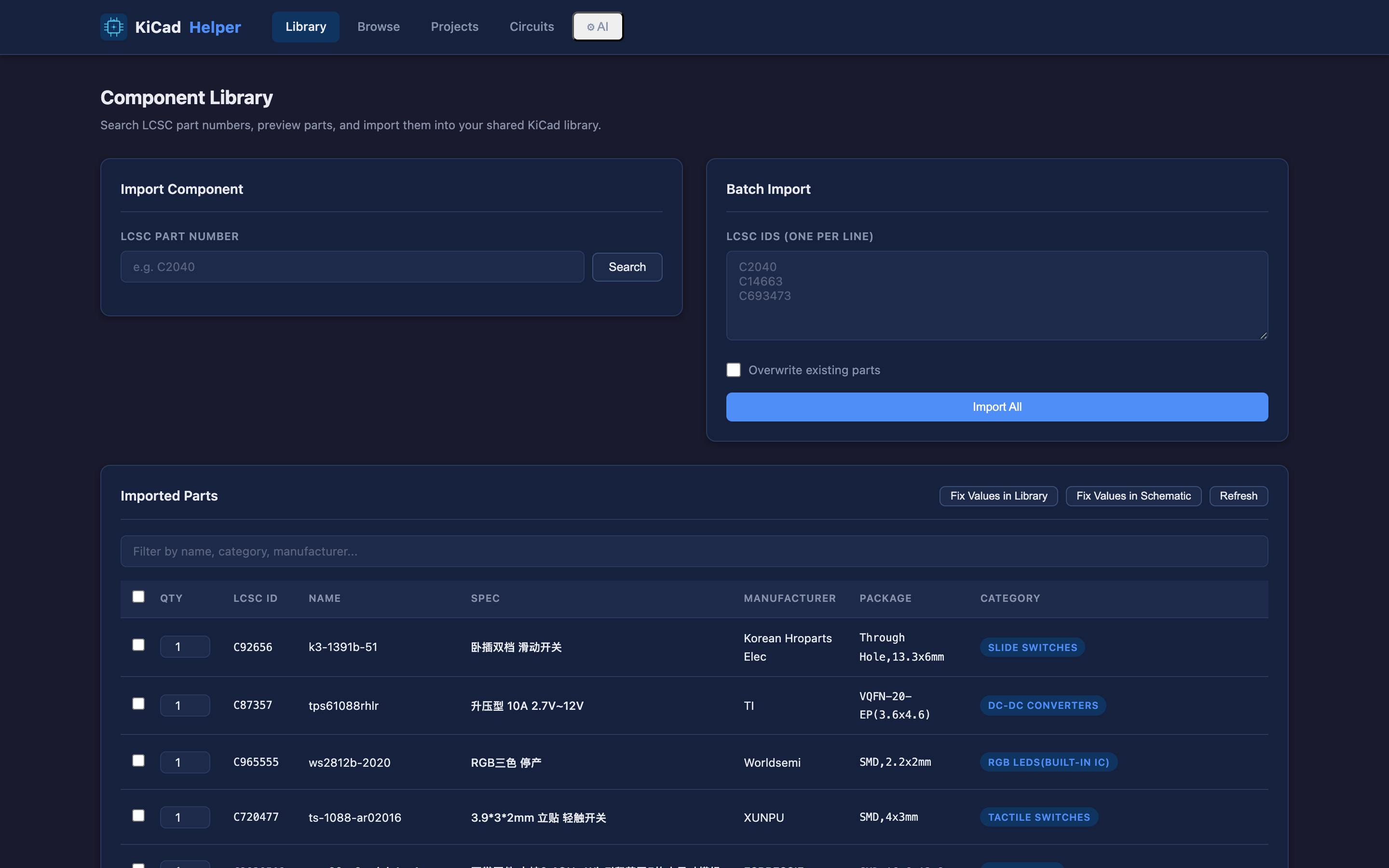
Import parts from LCSC
The library page takes an LCSC part number, previews the part, and imports its symbol, footprint, and 3D model into one shared KiCad library. Everything lands in one place that all my projects reference, so I'm never re-importing the same component into a new board.
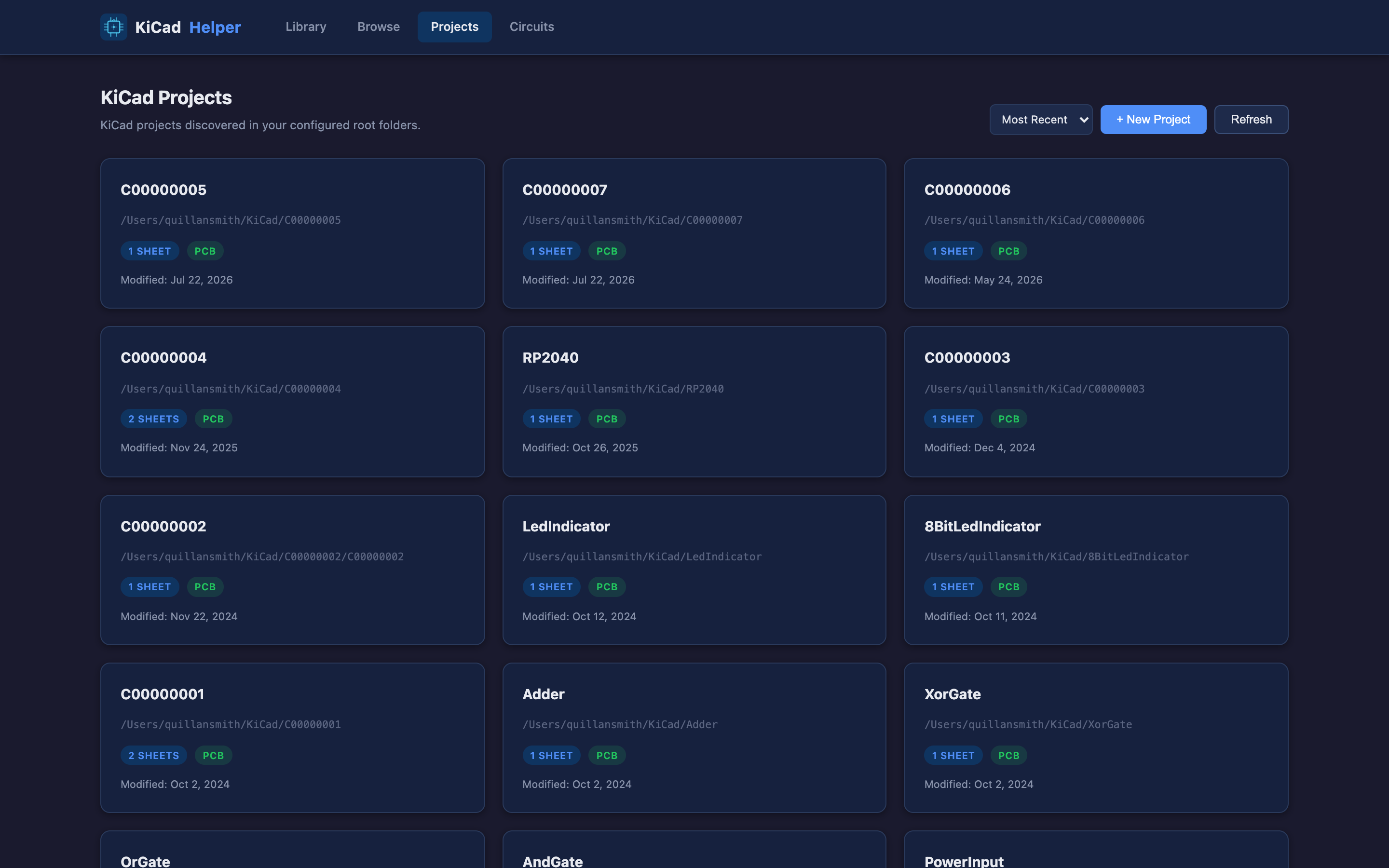
Discover and view projects
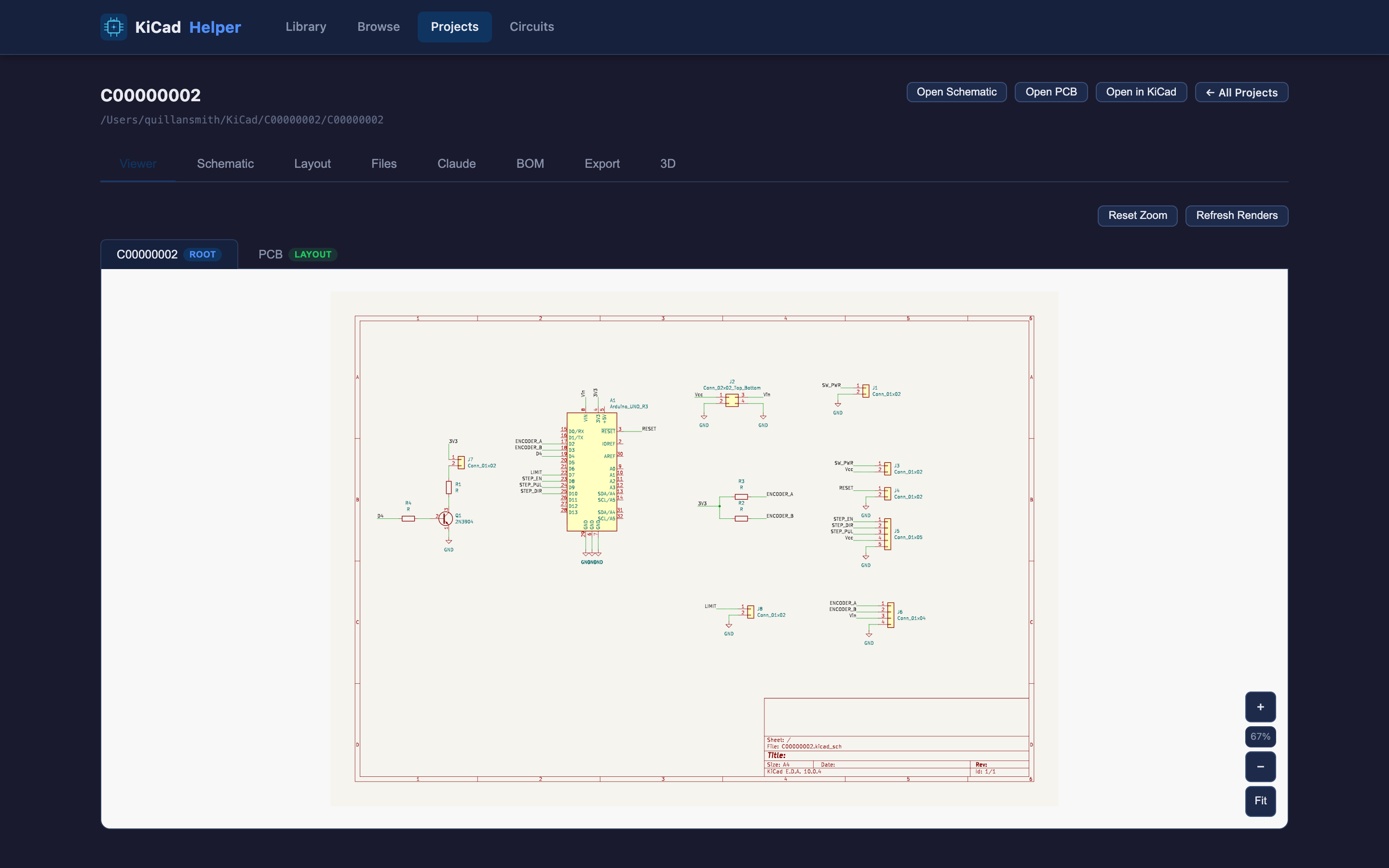
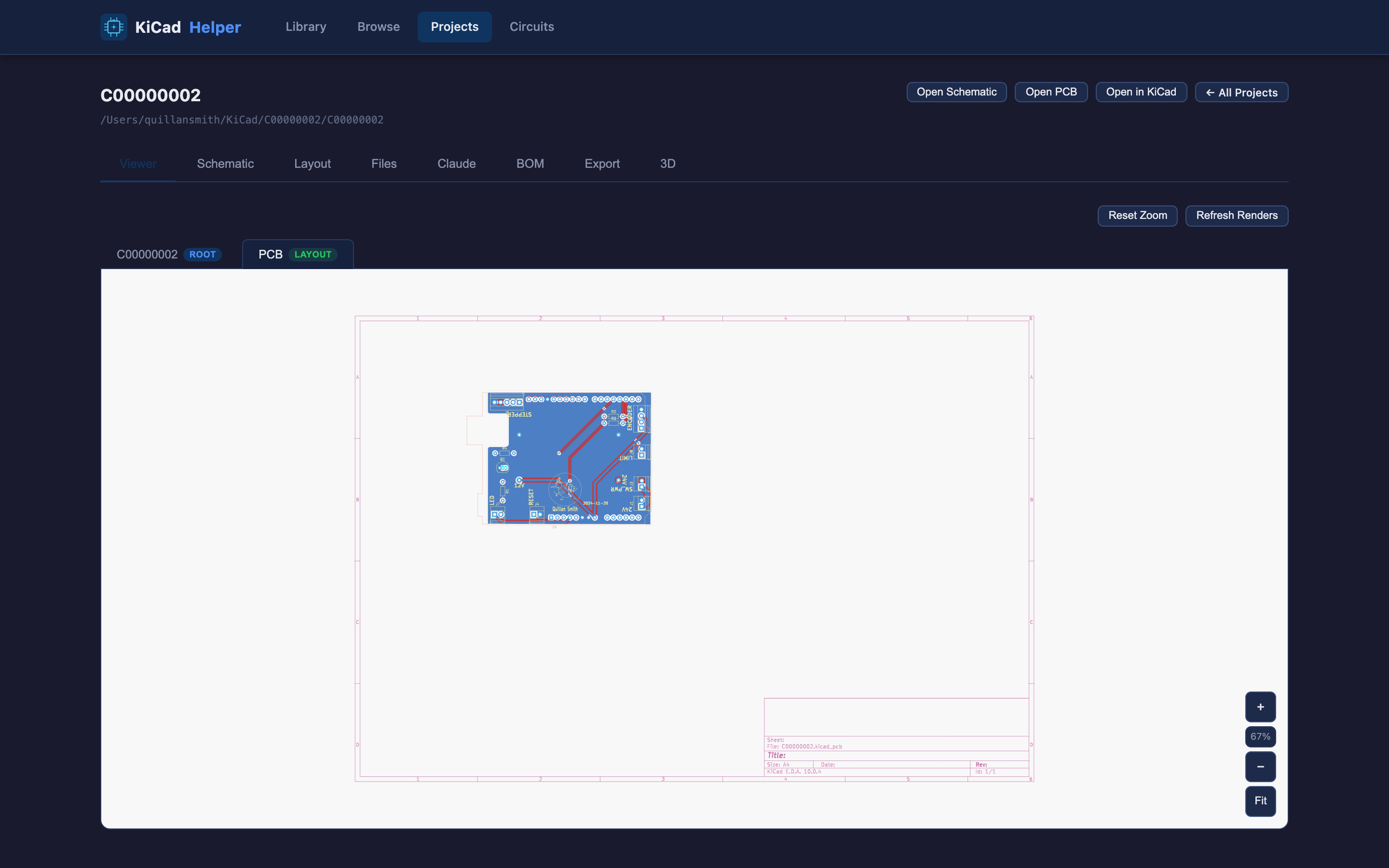
It scans my folders for KiCad projects and lists them. Clicking on a card brings up a detailed project page for that board.
BOM & manufacturing
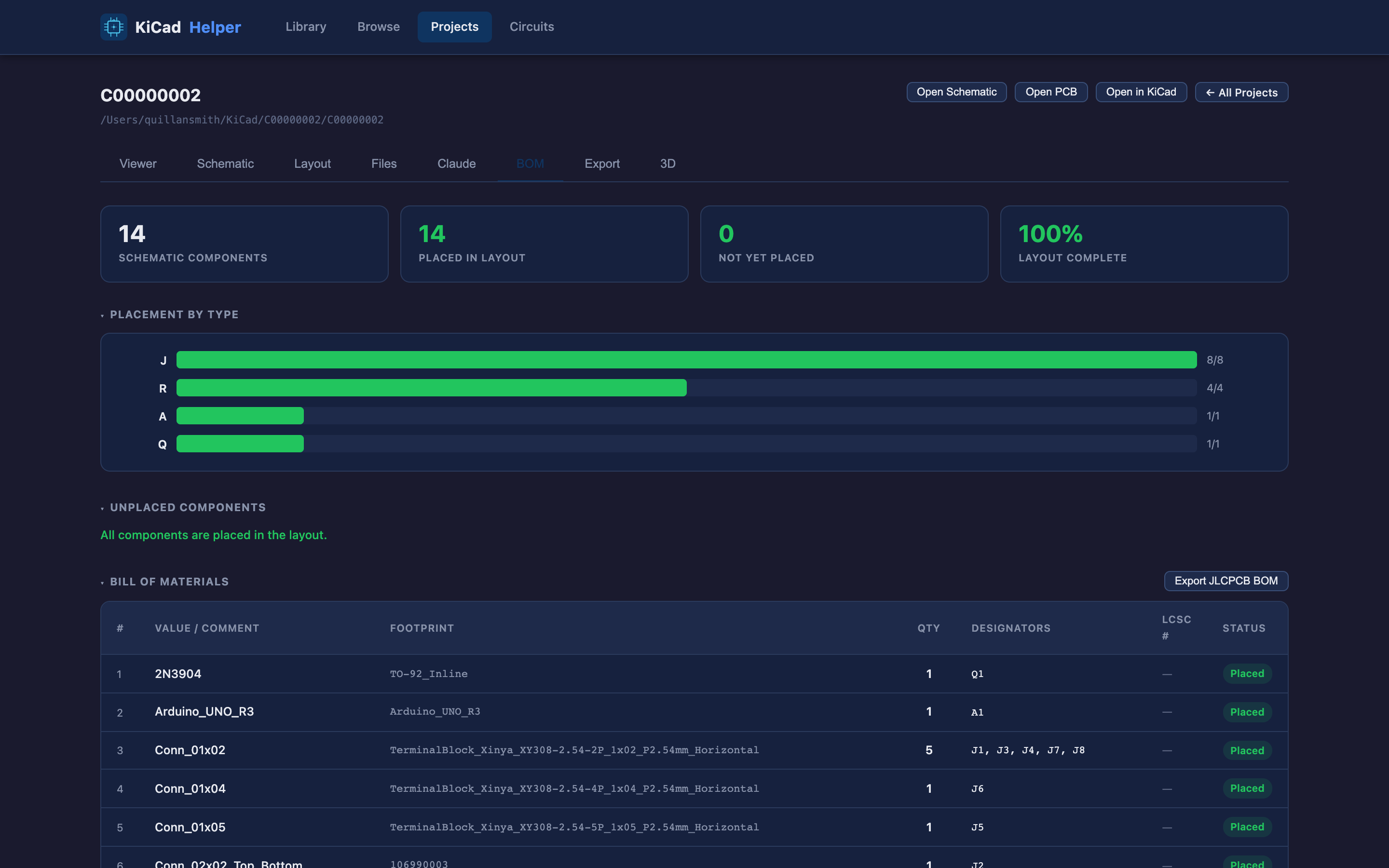
Each project gets a live bill of materials pulled straight from the design. There is a dashboard showing how many components are placed, whether they are fully routed, whether there are routing errors, and whether any orphaned components exist in the layout. From there I can export a JLCPCB-ready BOM and a Gerber package for fab.
Browse the whole KiCad library
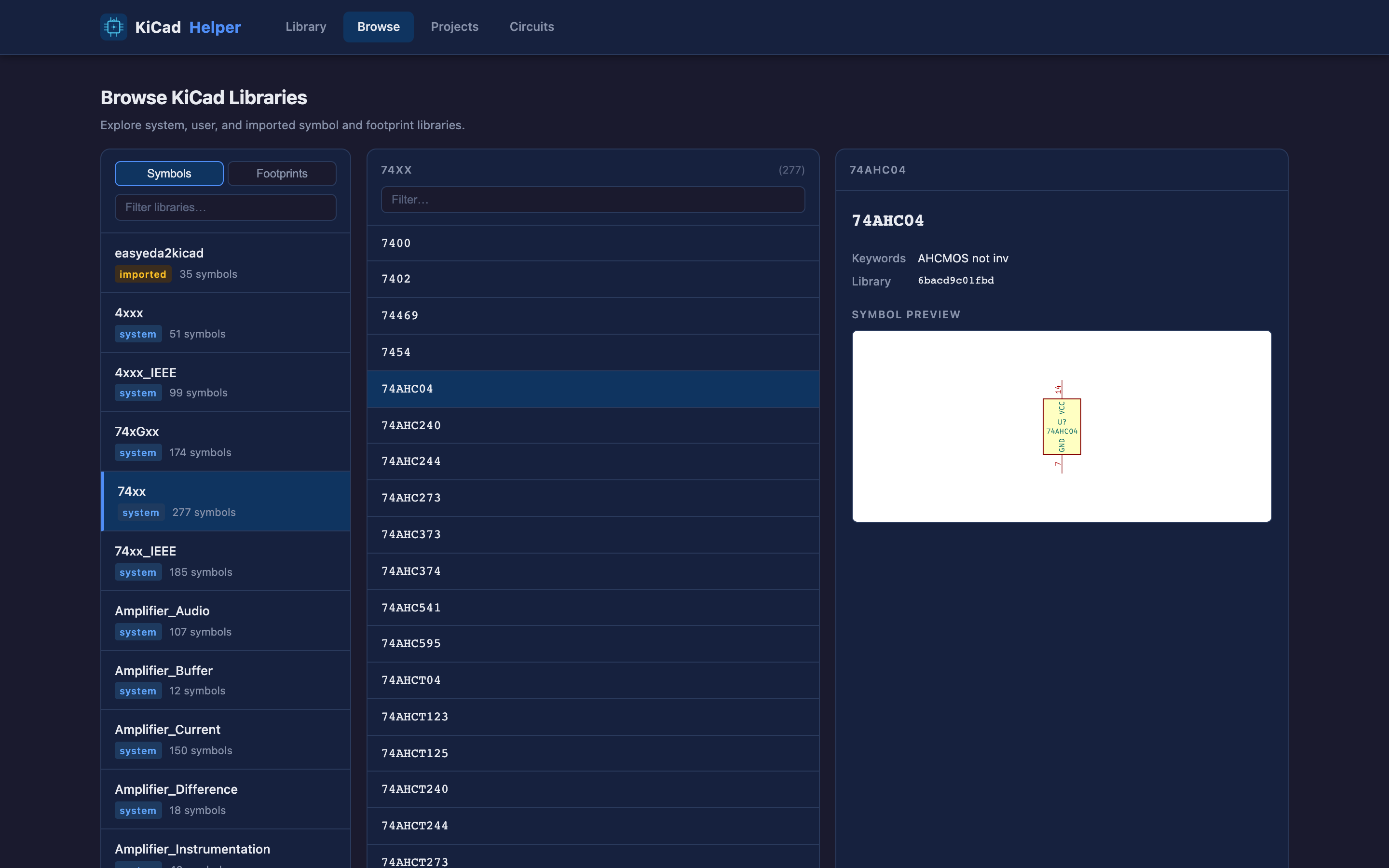
A three-pane browser for every symbol and footprint KiCad knows about: system libraries and imported parts. I find it easier to navigate than the KiCad library.
Takeaway
Building this with Claude Code let me stand up a genuinely useful tool that streamlines my KiCad board design workflow. I used it while building my recent LED Fidget Toy, and it helped me stay organized and removed the frustrating documentation parts of the process, letting me focus on the creative design work.